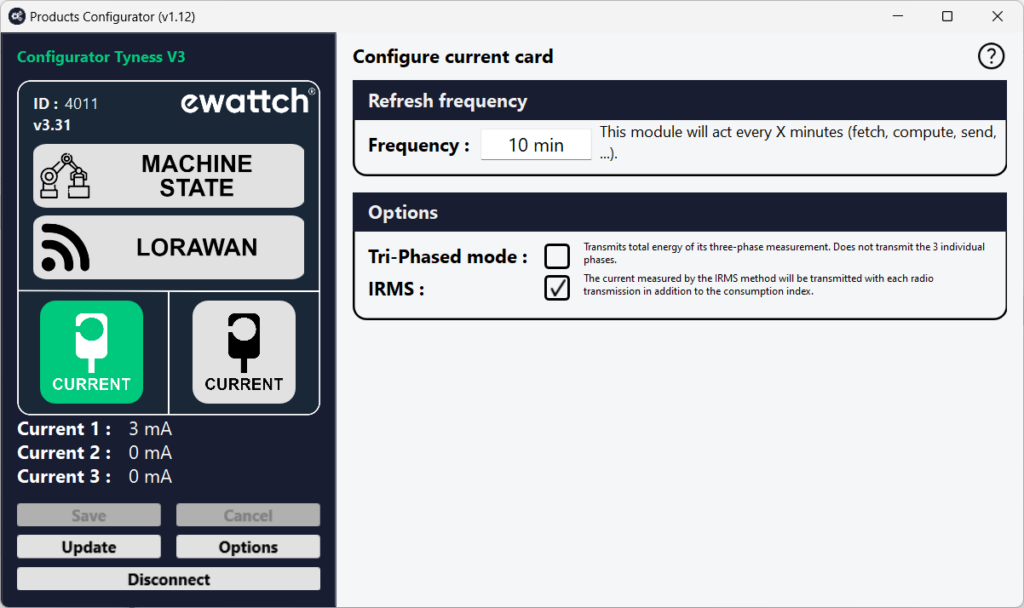
Configuration et paramétrage
Product configuration and updates are carried out using our product configuration software. This software enables both configuration and firmware updates of the product. The procedure below describes how to connect to the product.
Implementation
- Power up the TyNess.
- Download the Configurator software. This software is available at the following link: https://www.ewattch.com/documentations-techniques/.
- Run the program (no installation is required; available on Windows PC 8 or later, Apple, and Linux).
- Connect the TyNess to your computer using a MicroUSB cable with a 12mm extended connector. A new communication port will appear in the “Serial Port” drop-down menu.
- Click the “Connect” button.
Warning: You have a 30-second window to connect the software. If you wait too long, disconnect and reconnect the cable to restart the USB connection.