
TYNESS MODBUS


1.Presentation
- The TyNess Modbus is an intelligent gateway that provides a universal solution, simple to install and easy to use. It enables any previously integrated Modbus RS485 equipment to interface with the EwattchCloud platform (meters, controllers, industrial sensors, etc.), allowing you to monitor and visualize your data in real time. With TyNess Modbus, you optimize your energy and industrial management for a fast return on investment.

 Was this helpful?
2.Hazards and warnings
Failure to comply with the instructions in this manual shall not engage the manufacturer’s liability.
This product must be installed by a qualified professional, indoors, and in such a way that the operation of the disconnecting device is not hindered.
Any work on the product must be carried out by a qualified professional.
Replacement of the product must be carried out by a qualified professional.
The device must be used in accordance with the specifications in this documentation; otherwise, a hazardous situation may occur. If the device is used in a manner not specified by the manufacturer, the protection provided by the device may be impaired.
No part of the device may be replaced or removed.
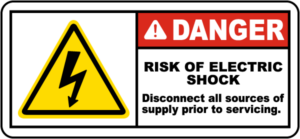
Disconnect all power supplies before working on this device.
Only accessories compliant with the manufacturer’s specifications must be used (current clamps, temperature probes, and connection cables).
3.Installation and commissioning
Prerequisites
- 1x TYNESS-MODBUS or TYNESS-MODBUS-4G: intelligent sensor communicating via LoRa or 4G
- Available space allowing the TYNESS-MODBUS to be mounted
- 50/60Hz 100 to 240 VAC power supply for wiring the 5VDC power supply
Wiring

Installation
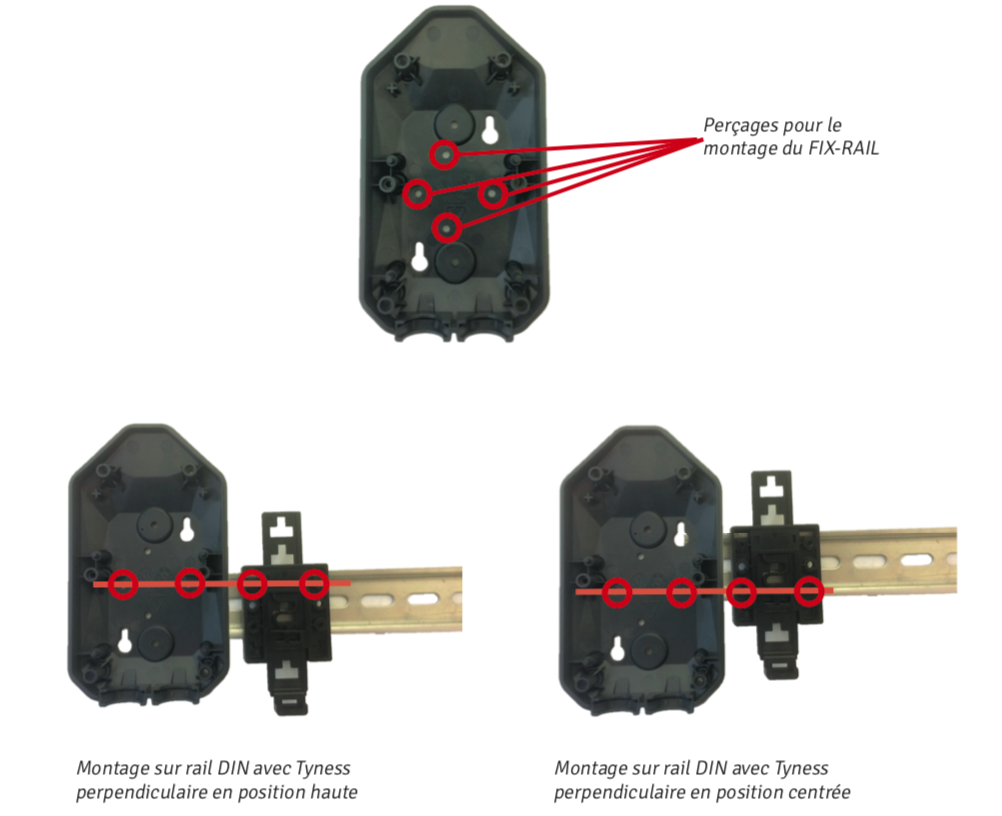
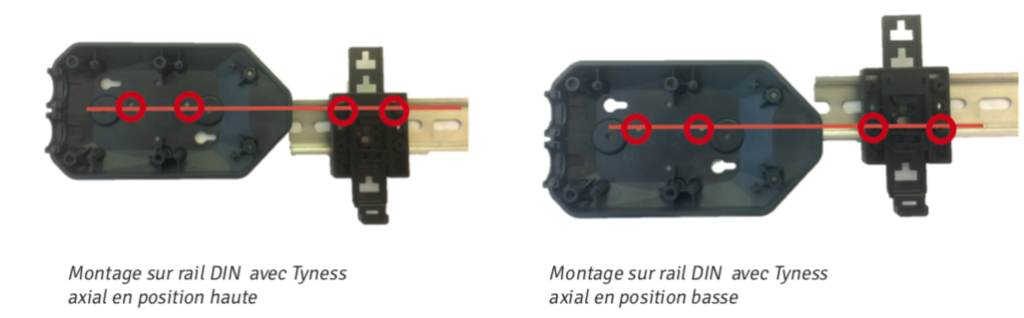
DIN Rail Mounting
The TYNESS-FIX-RAIL consists of 2 parts: a base and a movable, adjustable tab.
It is used to mount the Tyness horizontally or vertically on a DIN rail. Asymmetrical, it allows the Tyness to be positioned at two different heights for each orientation.
The Tyness can be removed from the DIN rail by operating the movable tab with a screwdriver, as with any similar mounting system.
It is supplied with 2 mounting screws.
Installation steps:
- Pre-position the bracket in the chosen orientation (horizontal or vertical) and at the desired height.
- If necessary, adjust the height of the tab (see diagram page 13).
- Tighten the two screws.
Tab adjustment:
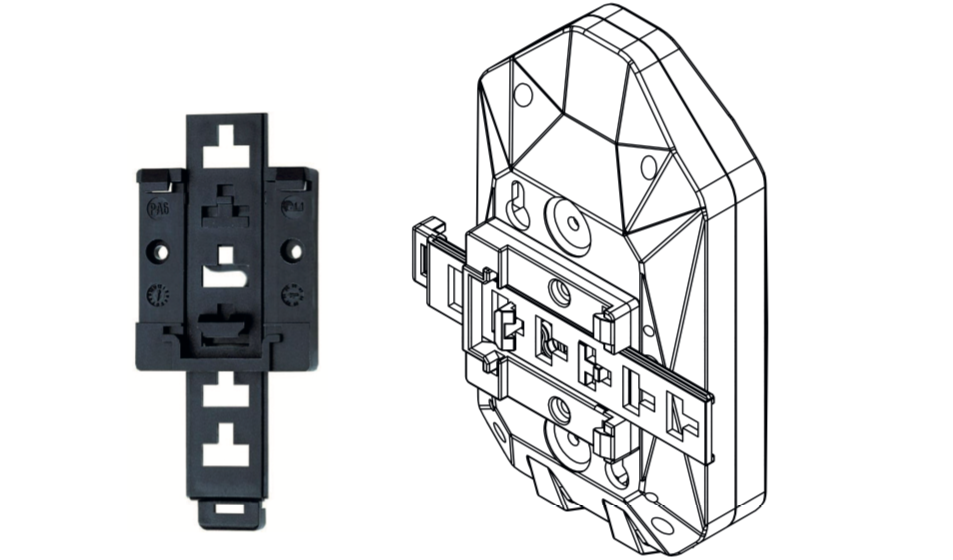
Depending on the position of the FIX-RAIL, the height of the tab must be adjusted so that it remains accessible.
When the upper part of the tab protrudes from the Tyness (for example, with a Tyness in a low axial position), it can be trimmed using cutting pliers.
Configuration on Ewattch Cloud
Once installed, the Tyness can be integrated into the Ewattch Cloud platform via a compatible LoRaWAN gateway. This integration enables:
- Real-time monitoring of transmitted measurements.
- Generation of customized reports.
- Receipt of alerts in the event of malfunction or predefined threshold exceedance.
To simplify adding your sensors to Ewattch Cloud, you can use the Scan to Cloud feature, an intuitive solution that streamlines provisioning in just a few clicks.
Access the full Scan to Cloud documentation:
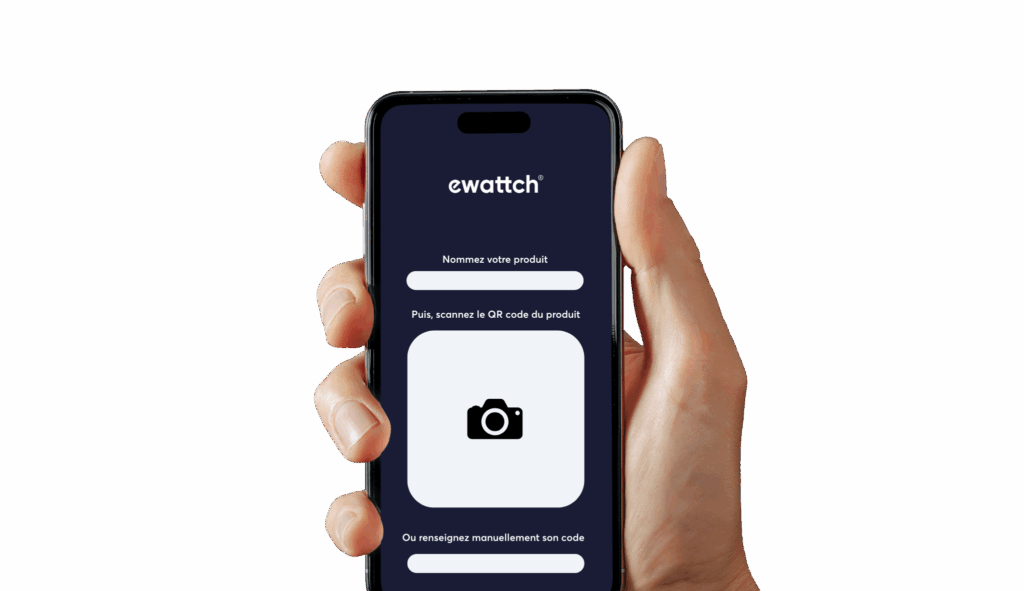
4.Configuration and settings
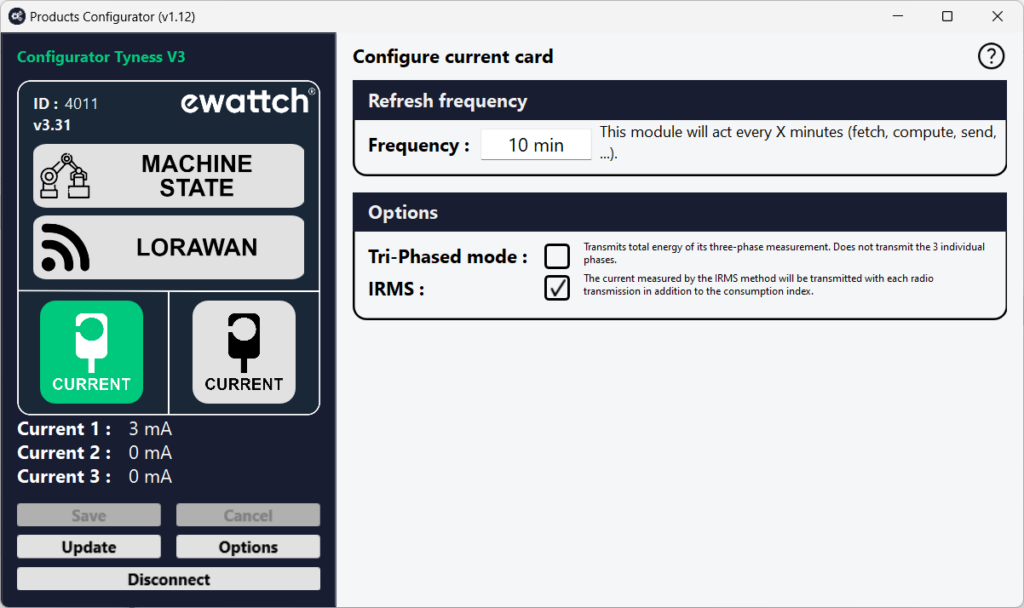
Product configuration and updates are carried out using our product configuration software. This software enables both configuration and firmware updates of the product. The procedure below describes how to connect to the product.
Implementation
- Power up the TyNess.
- Download the Configurator software. This software is available at the following link: https://www.ewattch.com/documentations-techniques/.
- Run the program (no installation is required; available on Windows PC 8 or later, Apple, and Linux).
- Connect the TyNess to your computer using a MicroUSB cable with a 12mm extended connector. A new communication port will appear in the “Serial Port” drop-down menu.
- Click the “Connect” button.
Warning: You have a 30-second window to connect the software. If you wait too long, disconnect and reconnect the cable to restart the USB connection.
5.Compatible products
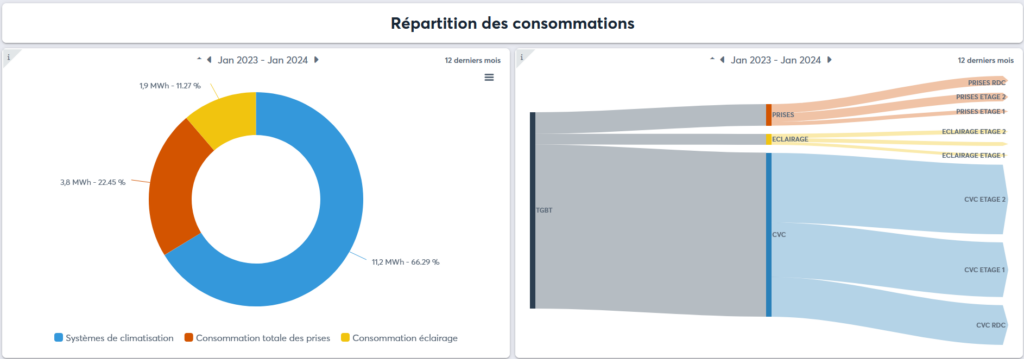
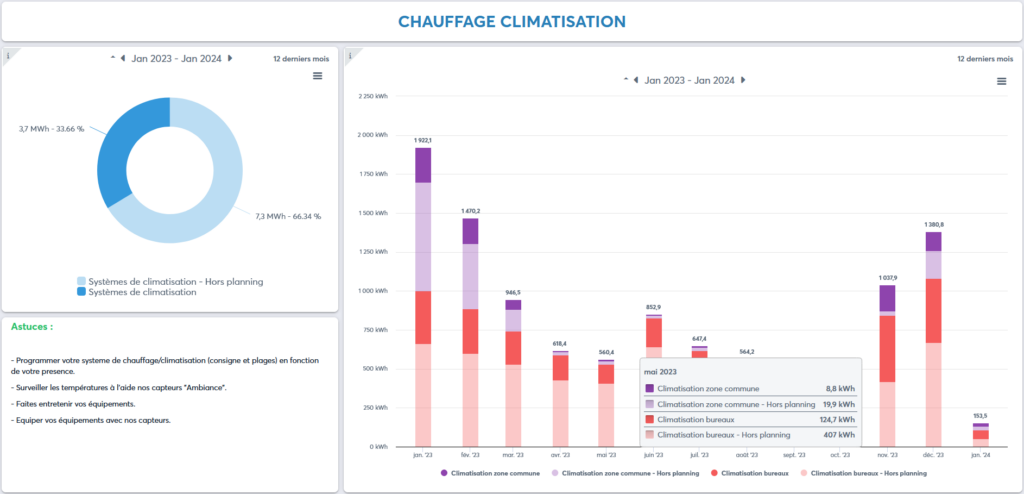
6.Display examples
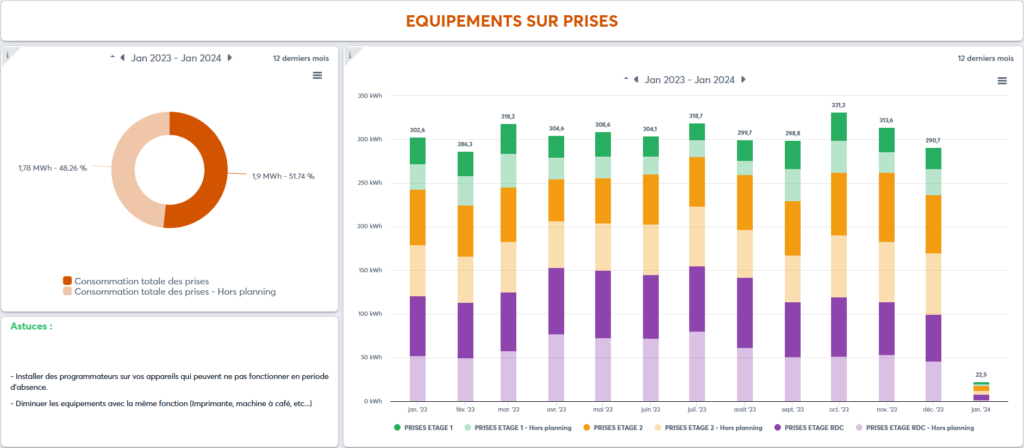
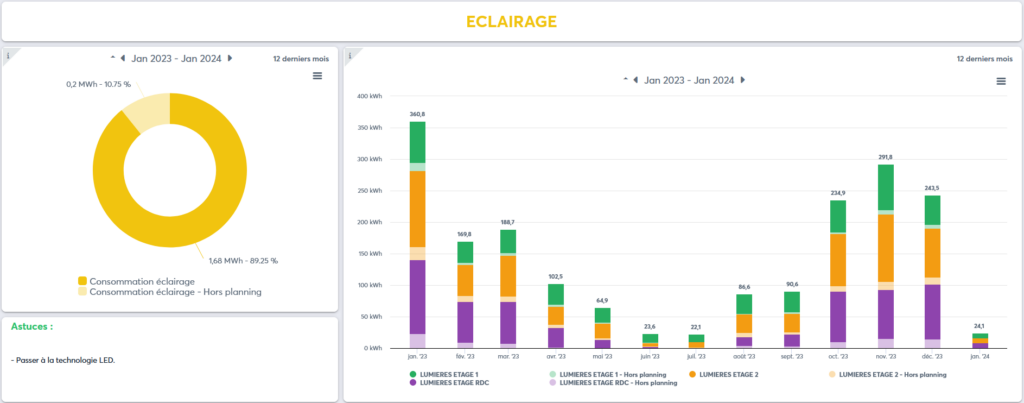
7.Product cleaning
The product must be cleaned using a soft, dry, lint-free cloth. Remove stubborn deposits with a slightly damp cloth.
Never use cleaning agents, alcohol, or solvents.
8.Technical specifications
POWER SUPPLY
- Supply voltage: 5V±5%
- Power: 2.5W
- Current: 0.5A
- Power cable length: 1 meter
- Supply voltage fluctuation: ±5% of the nominal voltage
ENVIRONMENTAL CONDITIONS
- Operating temperature: 5 to 60°C
- Storage temperature: -20°C to +70°C
- Operating humidity: 10 to 80%, non-condensing
- Maximum altitude: 2000 m
- Pollution degree: 2
LORA RADIO COMMUNICATION
- Wireless communication: LoRaWAN™ or LoRa®
- Maximum transmission power: 14 dBm
- Unique serial number: Yes
- Communication range: 15 km in open field
- Antenna: Integrated (external antenna optional)
- LoRaWAN version: 1.0.1
- LoRaWAN class: A
4G RADIO COMMUNICATION (EUROPE ONLY)
- Wireless communication: NB-IoT and LTE-M
- Antenna: External
PHYSICAL CHARACTERISTICS
TYNESS
- Dimensions (H x W x D): 142 x 77 x 36 mm
- Weight: 132 g
- Mounting: DIN rail, magnet, or wall-mounted (option: double-sided adhesive)
MODBUS INTERFACE
- Connector: RS485 – 3 terminals (A, B, GND)
- Baud rate: 1200 to 57,600 baud (9,600 recommended)
- Mode: Master or Slave
- Number of slaves: up to 15 (master mode)
9.Description of LoRaWAN frames (payloads)
The description of the radio communication format is available for download at the following address: Download frame format
To facilitate the integration of products communicating via the LoRaWAN network, Ewattch has developed a frame decoder available at the following address: Frame decoder
10.Approvals and compliance
EUROPE
EMC
- EN 61000-6-2: Immunity for industrial environments
- EN 61000-6-3: Emission standard for residential environments
- EN 55022: Immunity for IT equipment
Radio
- EN 300220: Electromagnetic compatibility and radio spectrum matters for short-range devices
Safety
- EN 61010: Electrical equipment for measurement and testing
Logos
 European conformity symbol
 WEEE Directive symbol (Waste Electrical and Electronic Equipment)
11.References
TYNESS-MODBUS or TYNESS-MODBUS-4G:
- 1 x TyNess with MODBUS RS485 interface, with or without 4G module
- 1 x magnetic antenna for mounting outside the cabinet (ref.: ANTMAGNSUP)
- 1 x 5V DIN rail power supply (ref.: ALIM-RAIL-5V)
12.Contact

13, Rue Maurice Jeandon
88100 Saint-Dié des Vosges
FRANCE
sales@ewattch.com
+33(0)3.29.57.75.97
www.ewattch.com