Installation et mise en œuvre
Prerequisites
- 1x TYNESS-MODBUS or TYNESS-MODBUS-4G: intelligent sensor communicating via LoRa or 4G
- Available space allowing the TYNESS-MODBUS to be mounted
- 50/60Hz 100 to 240 VAC power supply for wiring the 5VDC power supply
Wiring

Installation
DIN Rail Mounting
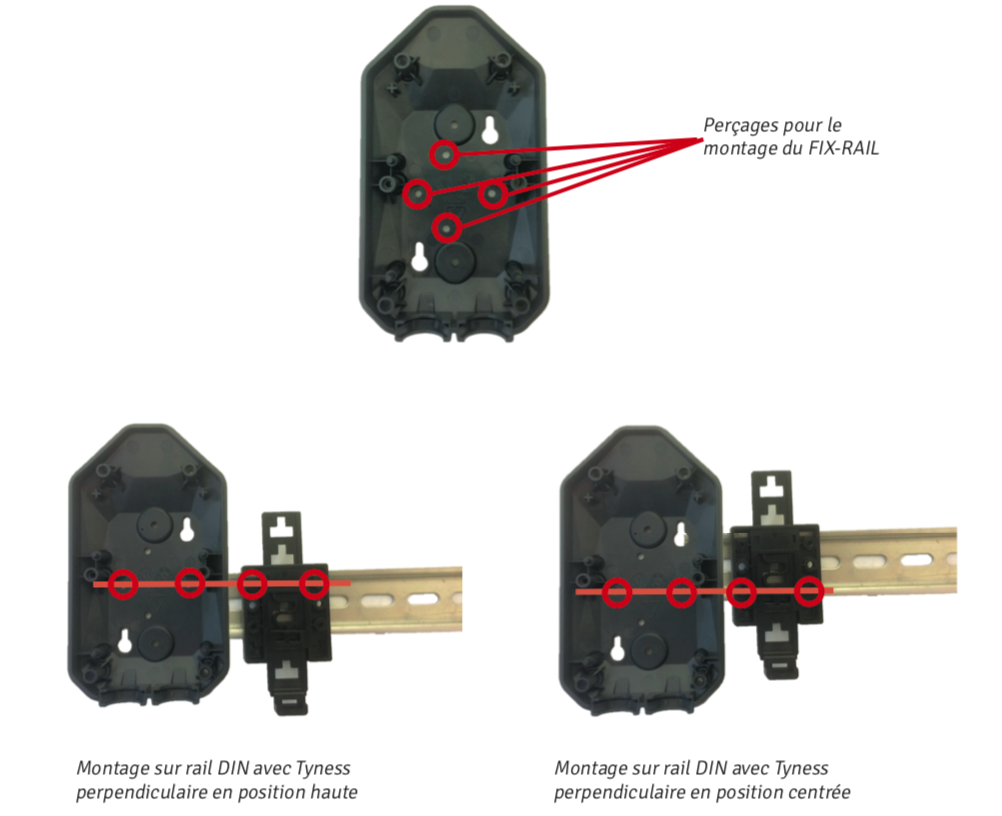
The TYNESS-FIX-RAIL consists of 2 parts: a base and a movable, adjustable tab.
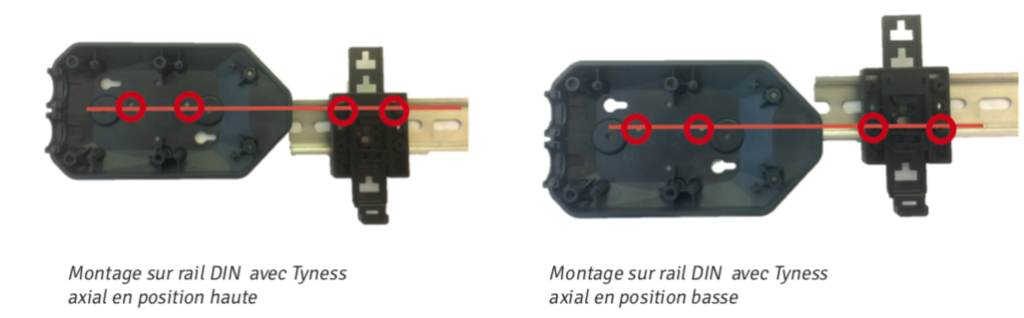
It is used to mount the Tyness horizontally or vertically on a DIN rail. Asymmetrical, it allows the Tyness to be positioned at two different heights for each orientation.
The Tyness can be removed from the DIN rail by operating the movable tab with a screwdriver, as with any similar mounting system.
It is supplied with 2 mounting screws.
Installation steps:
- Pre-position the bracket in the chosen orientation (horizontal or vertical) and at the desired height.
- If necessary, adjust the height of the tab (see diagram page 13).
- Tighten the two screws.
Tab adjustment:
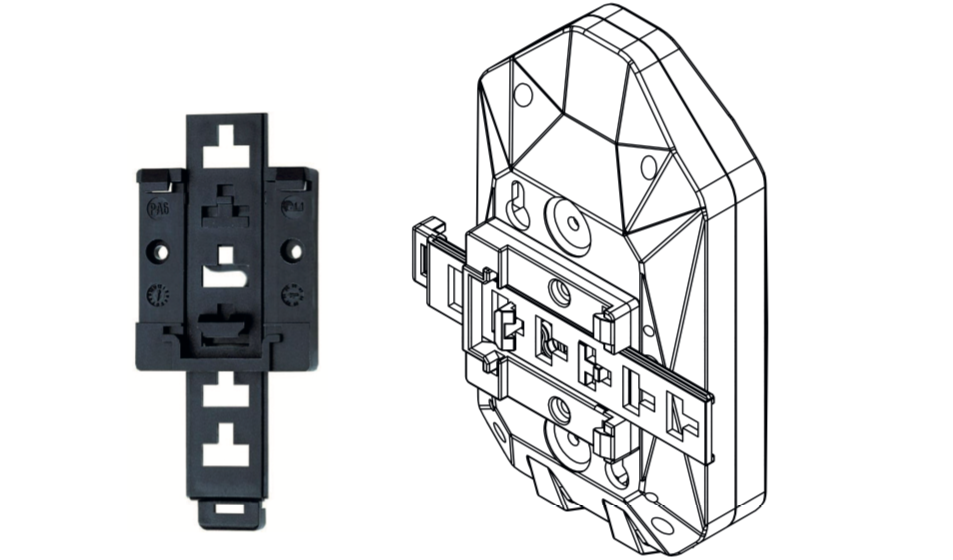
Depending on the position of the FIX-RAIL, the height of the tab must be adjusted so that it remains accessible.
When the upper part of the tab protrudes from the Tyness (for example, with a Tyness in a low axial position), it can be trimmed using cutting pliers.
Configuration on Ewattch Cloud
Once installed, the Tyness can be integrated into the Ewattch Cloud platform via a compatible LoRaWAN gateway. This integration enables:
- Real-time monitoring of transmitted measurements.
- Generation of customized reports.
- Receipt of alerts in the event of malfunction or predefined threshold exceedance.
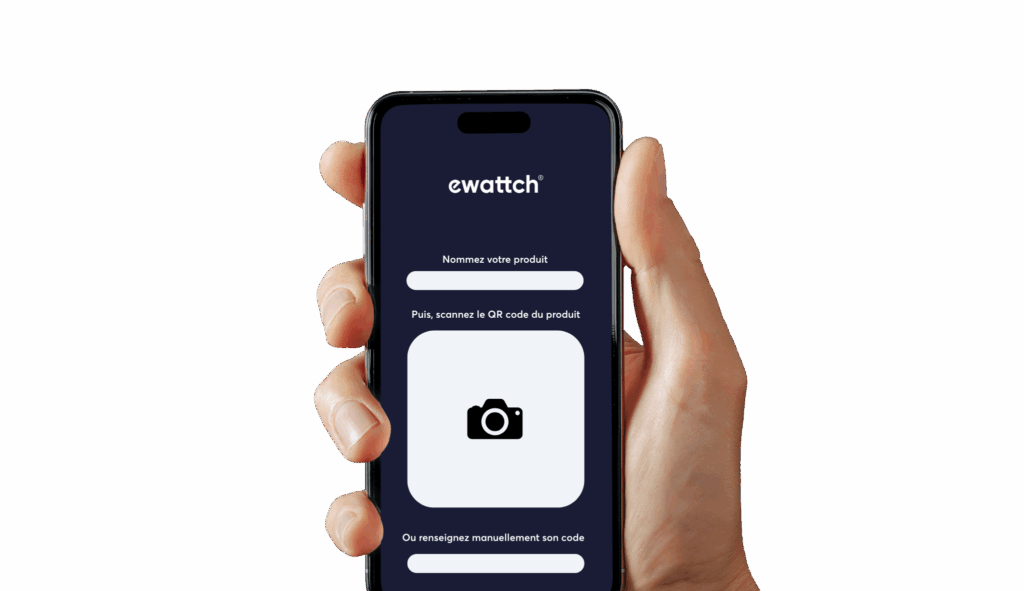
To simplify adding your sensors to Ewattch Cloud, you can use the Scan to Cloud feature, an intuitive solution that streamlines provisioning in just a few clicks.
Access the full Scan to Cloud documentation: