

1.Introduction
 Was this helpful?
2.Features
Maximum number of registers in the table: 600 registers of 16 bits
Compatible sensors and data:
Ambiance: Temperature, humidity, brightness, presence, CO2.
Tynode: Digital input counting, digital input status, digital input duration, analog measurement, temperature.
SquidV2: Current, cumulative current.
SquidPro: Reactive energy produced and consumed, reactive energy produced and consumed, voltage, frequency, current.
Tyness: Digital input counting, digital input status, temperature, analog measurement, cumulative current.
3.Sensor configuration
The following steps describe how to configure the Multitech as a LoRa to Modbus TCP gateway.
Start by connecting to the web interface of your Multitech.
Provisioning
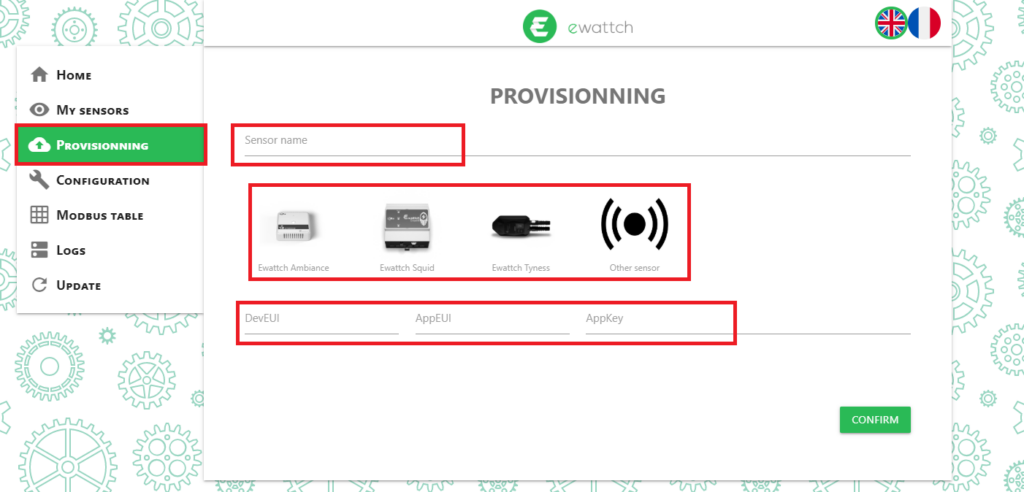
Go to the “Provisioning” section.
- Enter a name for your sensor
- Select its type
- Enter its three LoRaWAN keys (DevEUI, AppEUI, and AppKey)
Enabling Modbus
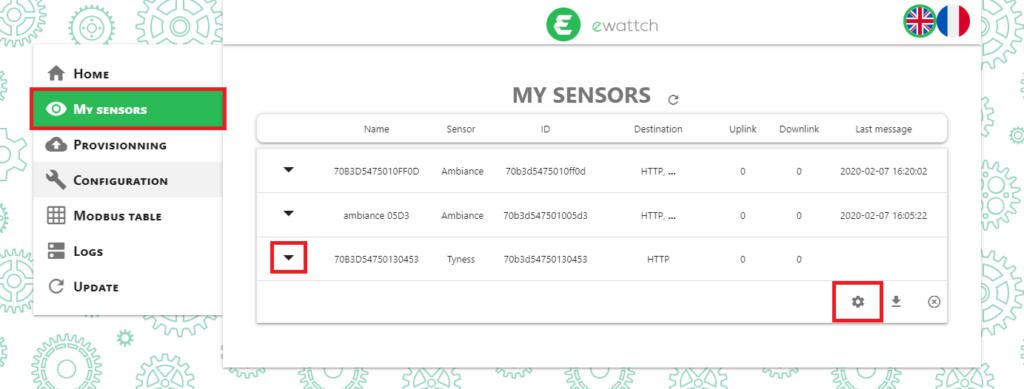
Your sensor now appears in the “My sensors” section.
- Click the arrow on the left of the sensor to expand it
- Click the gear icon to access its settings
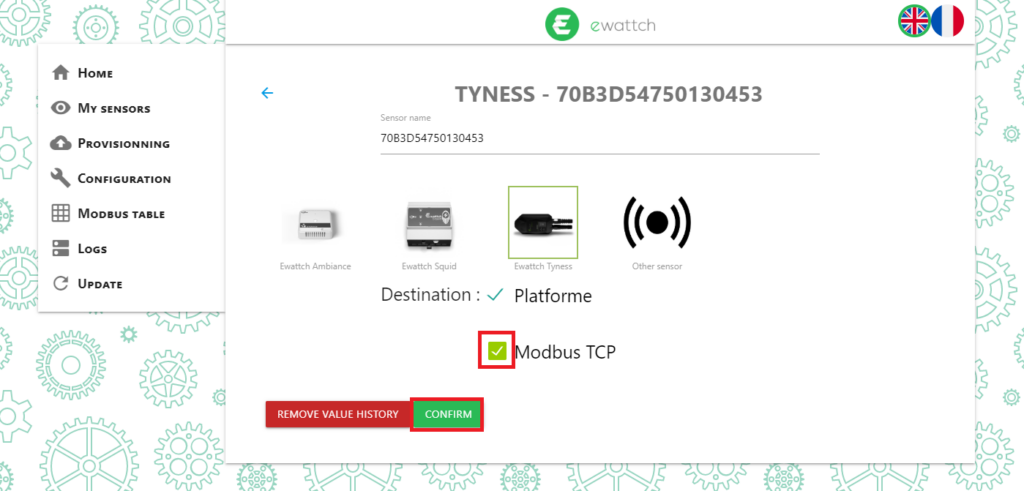
- Check the “Modbus TCP” box
- Click the “CONFIRM” button to enable Modbus for this sensor
Data Configuration
The next steps describe how to add the sensor data to the Multitech Modbus table.
- First, the Multitech must receive a transmission containing the sensor data. The received data will appear in the sensors section.
- Then click the gear icon to access the sensor configuration
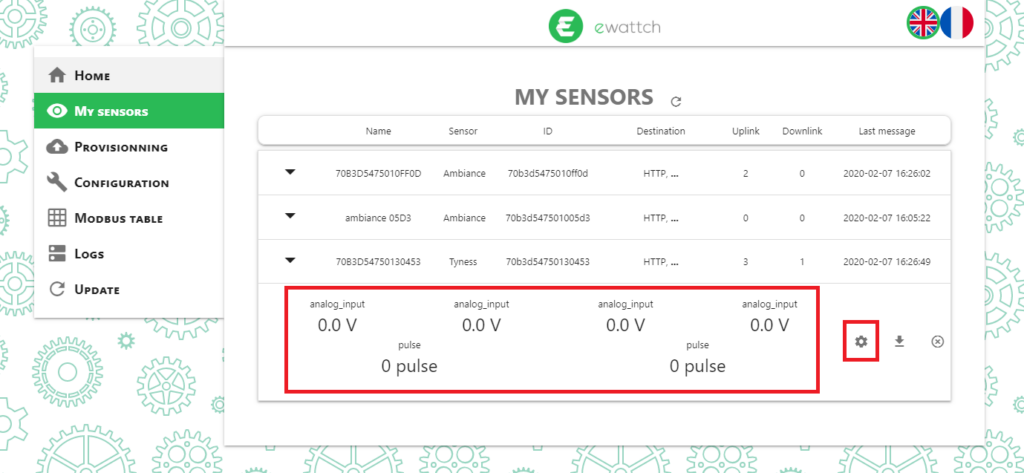
- Click the gear icon again to access the sensor Modbus configuration
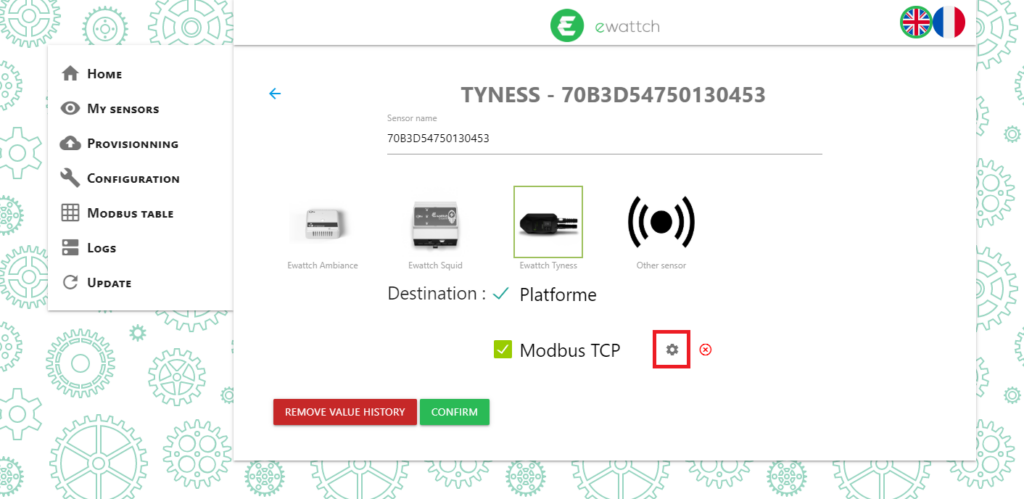
The received data is listed on this page.
- Select in the “Enable” column the data to add to the Modbus table
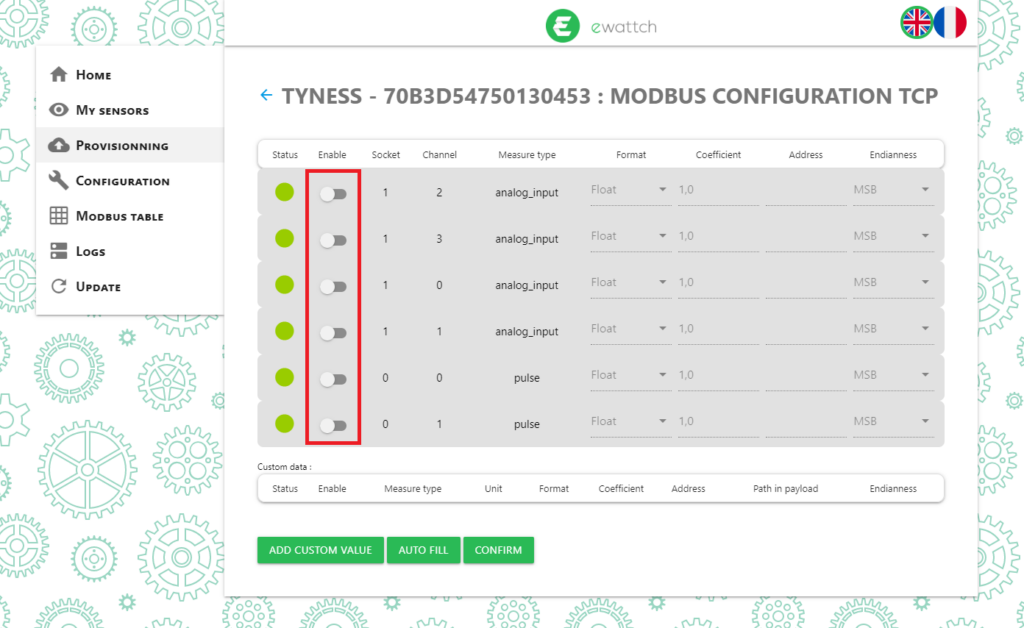
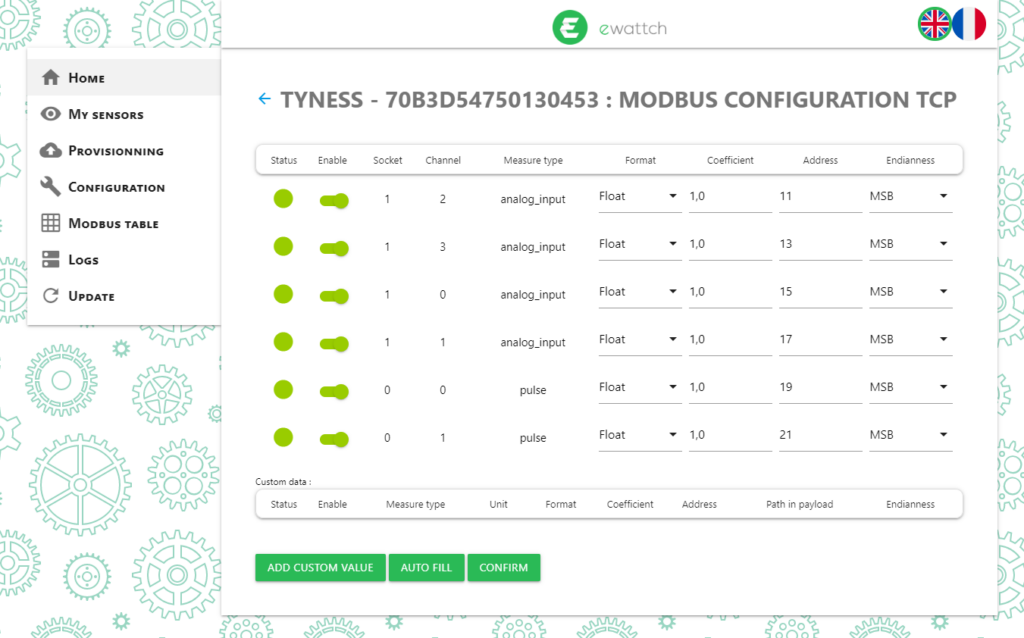
For each data point, it is possible to configure its format in the Modbus table, a scaling multiplication factor, its address in the table, and its endianness.
The “AUTO FILL” button automatically assigns Modbus addresses to the data.
- Configure your data
- Click the “CONFIRM” button
The next data received by the Multitech will now be written and available in the Modbus table.
4.Data reading
Connection to the Multitech
The connection to the Multitech is established on the standard Modbus TCP port: port 502.
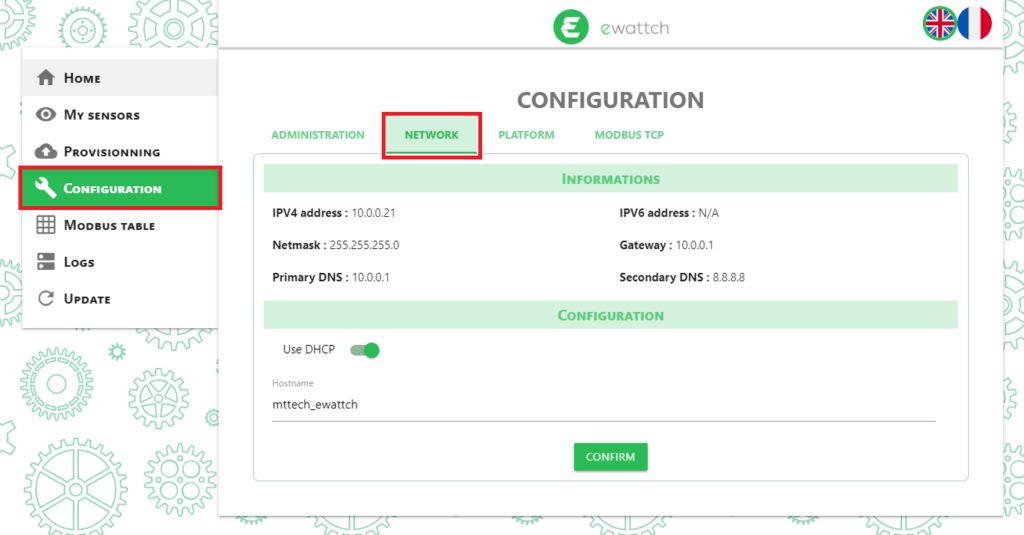
The Multitech network parameters can be configured in the “Configuration” menu and in the “Network” section.
Modbus Reading
Data reading is performed using the read holding registers command (code 0x03).
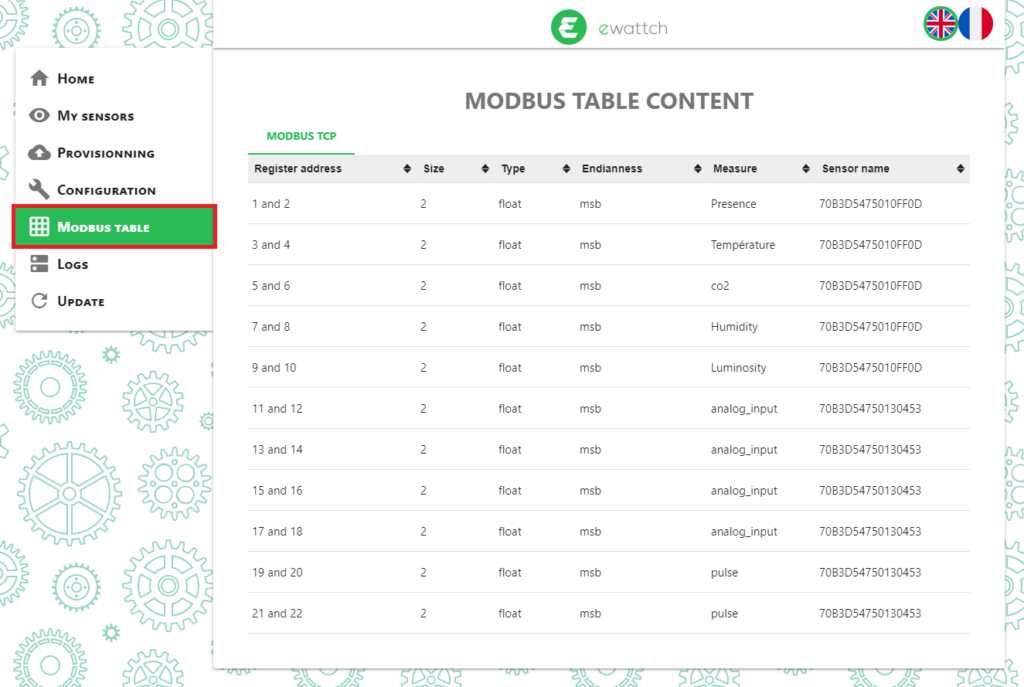
The complete Modbus table can be viewed in the “Modbus table” menu.