
TYNESS ALERTES


1.Presentation
- The TyNess Alerts is a panel indicator interface that enables instant monitoring of the status of your electrical cabinet indicator lights. In real time, it transmits information to EwattchCloud and triggers intelligent alerts as soon as an indicator changes state, enabling targeted and rapid actions. Installation is direct in 24V, without intermediate relays, and commissioning is simplified thanks to the ScanToCloud feature. Available in an 8 indicator input version, TyNess Alerts integrates seamlessly into your BMS and Smart Building infrastructures for centralized and efficient monitoring.

 Was this helpful?
2.Hazards and warnings
Le non-respect des indications de la présente notice ne saurait engager la responsabilité du constructeur.
Ce produit doit être installé par un professionnel, dans un environnement intérieur et de manière à ne pas rendre difficile la manœuvre du dispositif de sectionnement.
Toute intervention sur le produit doit être effectuée par un professionnel.
Le remplacement du produit doit être effectué par un professionnel.
L’appareil doit être utilisé selon les spécifications de la présente documentation, dans le cas contraire une mise en danger est possible. Si l’appareil est utilisé d’une façon qui n’est pas spécifiée par le fabricant, la protection assurée par l’appareil peut être compromise.
Aucune partie de l’appareil ne doit être remplacée ou retirée.
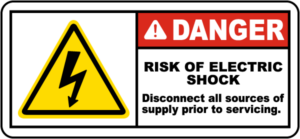
Coupez toutes les alimentations avant d’intervenir sur cet appareil.
Seuls les accessoires conformes aux caractéristiques du fabricant doivent être utilisés (Pinces de courant, sondes de température et câbles de raccordement).
3.Installation and commissioning
Prerequisites:
- 1x TYNESS-ALERTES-8: intelligent sensor communicating via LoRa
- Available space allowing the TYNESS to be mounted
- 50/60Hz 100 to 240 VAC power supply for wiring the 24VDC power supply
Installation

Configuration on Ewattch Cloud
Once installed, the Tyness can be integrated into the Ewattch Cloud platform via a compatible LoRaWAN gateway. This integration enables:
- Generation of customized reports.
- Receipt of alerts in the event of malfunction or predefined threshold exceedance.
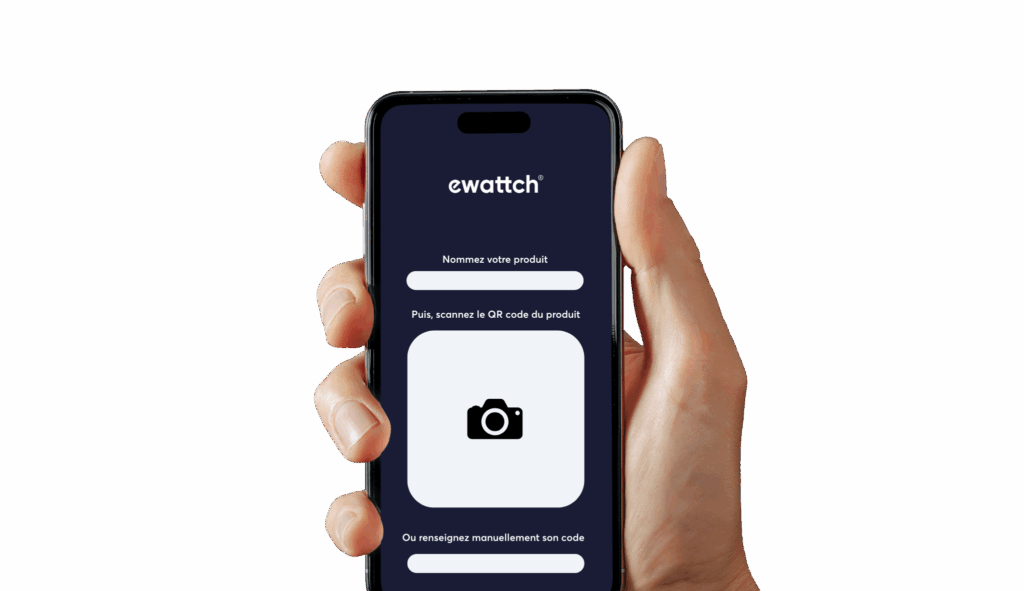
To simplify adding your sensors to Ewattch Cloud, you can use the Scan to Cloud feature, an intuitive solution that streamlines provisioning in just a few clicks.
Access the full Scan to Cloud documentation:
4.Configuration and settings
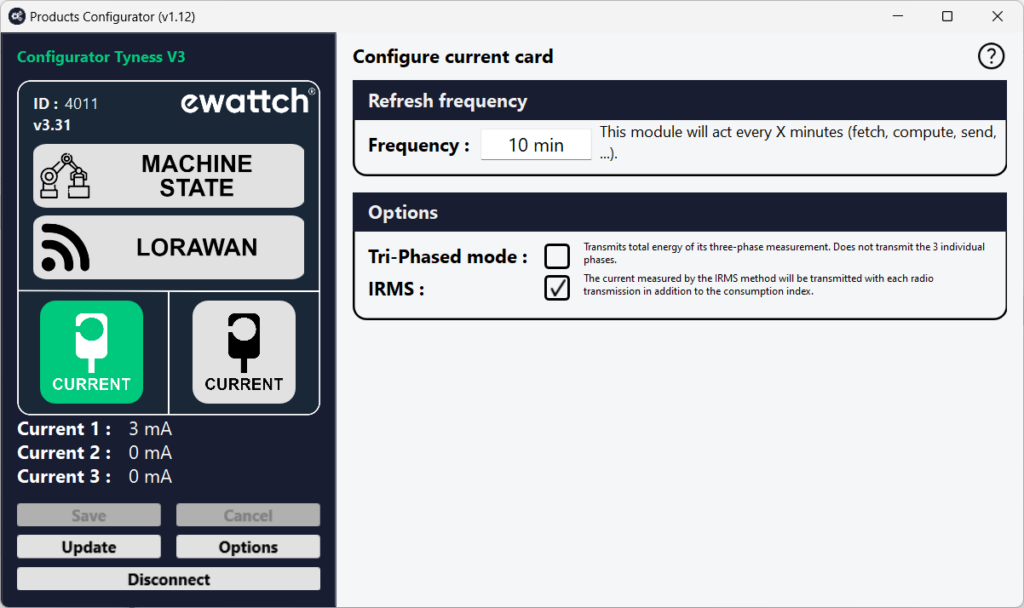
Product configuration and updates are carried out using our product configuration software. This software enables both configuration and firmware updates of the product. The procedure below describes how to connect to the product.
Implementation
- Power up the TyNess.
- Download the Configurator software. This software is available at the following link: https://www.ewattch.com/documentations-techniques/.
- Run the program (no installation is required; available on Windows PC 8 or later, Apple, and Linux).
- Connect the TyNess to your computer using a MicroUSB cable with a 12mm extended connector. A new communication port will appear in the “Serial Port” drop-down menu.
- Click the “Connect” button.
Warning: You have a 30-second window to connect the software. If you wait too long, disconnect and reconnect the cable to restart the USB connection.
5.Display examples


6.Product cleaning
The product must be cleaned using a soft, dry, lint-free cloth. Remove stubborn deposits with a slightly damp cloth.
Never use cleaning agents, alcohol, or solvents.
7.Technical specifications
POWER SUPPLY
- Supply voltage: 24V±5%
- Power: 3W
- Current: 0.125A
- Power cable length: 1 meter
- Supply voltage fluctuation: ±5% of the nominal voltage
ENVIRONMENTAL CONDITIONS
- Operating temperature: 5 to 60°C
- Storage temperature: -20°C to +70°C
- Operating humidity: 10 to 80%, non-condensing
- Maximum altitude: 2000 m
- Pollution degree: 2
LORA RADIO COMMUNICATION
- Wireless communication: LoRaWAN™ or LoRa®
- Maximum transmission power: 14 dBm
- Unique serial number: Yes
- Communication range: 15 km in open field
- Antenna: Integrated (external antenna optional)
- LoRaWAN version: 1.0.1
- LoRaWAN class: A
PHYSICAL CHARACTERISTICS
TYNESS
- Dimensions (H x W x D): 142 x 77 x 36 mm
- Weight: 132 g
- Mounting: DIN rail, magnet, or wall-mounted (option: double-sided adhesive)
INPUTS / INTERFACES
- Digital inputs: 8 indicator inputs (24 V AC/DC, max frequency 3 Hz)
- Connectors: AVX series 9276, 4 poles
8.Description of LoRaWAN frames (payloads)
The description of the radio communication format is available for download at the following address: Download frame format
To facilitate the integration of products communicating via the LoRaWAN network, Ewattch has developed a frame decoder available at the following address: Frame decoder
9.Approvals and compliance
EUROPE
EMC
- EN 61000-6-2: Immunity for industrial environments
- EN 61000-6-3: Emission standard for residential environments
- EN 55022: Immunity for IT equipment
Radio
- EN 300220: Electromagnetic compatibility and radio spectrum matters for short-range devices
Safety
- EN 61010: Electrical equipment for measurement and testing
Logos
 European conformity symbol
 WEEE Directive symbol (Waste Electrical and Electronic Equipment)
10.References
TYNESS-ALERTES-8:
- 1 x TYNESS with 8 indicator inputs (24 V AC/DC)
- 1 x magnetic antenna for mounting outside the cabinet (ref.: ANTMAGNSUP)
- 1 x 24V DIN rail power supply (ref.: ALIM-RAIL-24V)
11.Contact

13, Rue Maurice Jeandon
88100 Saint-Dié des Vosges
FRANCE
sales@ewattch.com
+33(0)3.29.57.75.97
www.ewattch.com